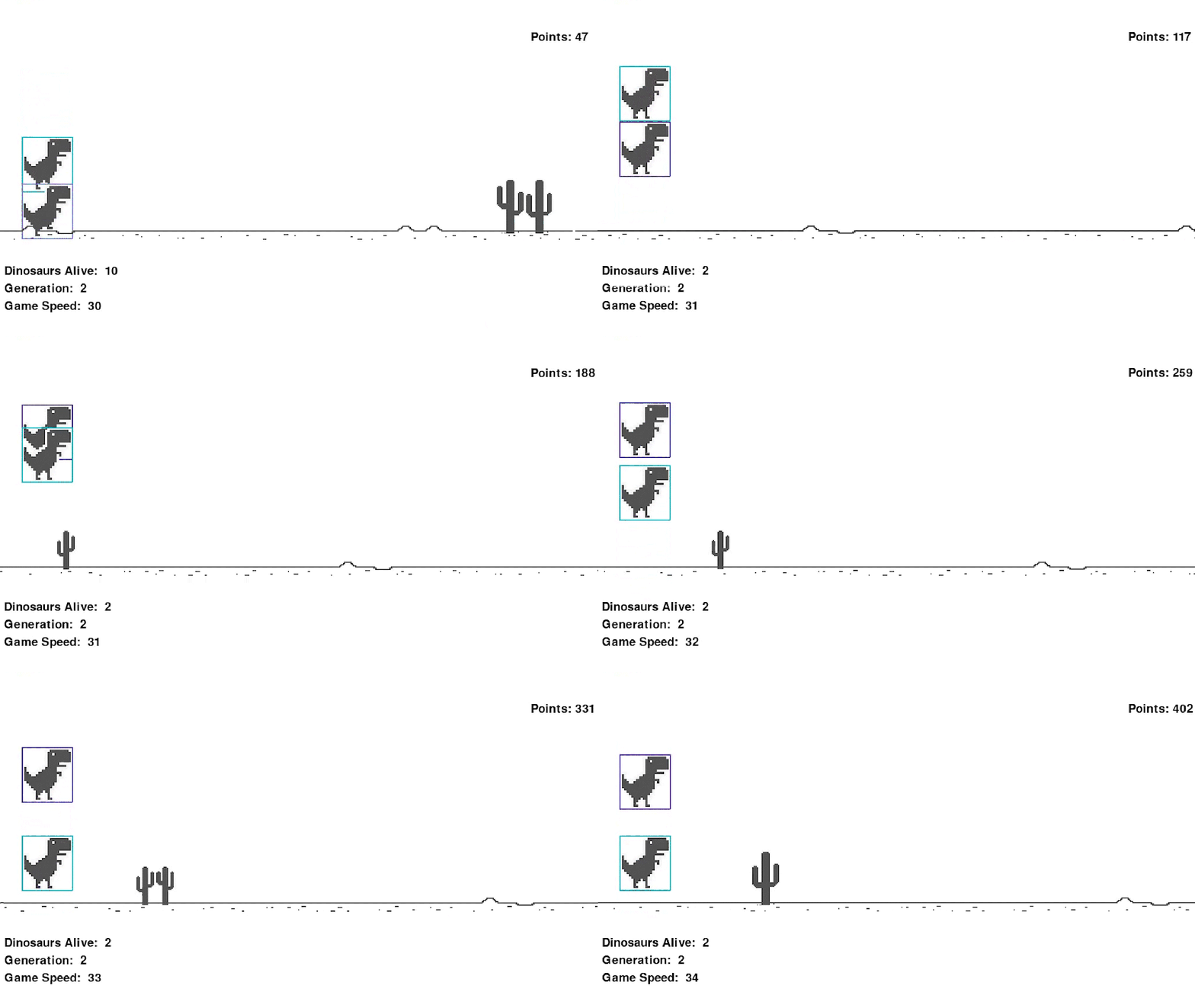
If you want to replicate this project please make sure the following libraries match
neat-python 0.92
pip         21.2.3
pygame      2.0.1
setuptools  57.4.0
Creating the Dinosaur
class Dinosaur:
    X_POS = 80
    Y_POS = 310
    JUMP_VEL = 8.5

    def __init__(self, img=RUNNING[0]):
        self.image = img
        self.dino_run = True
        self.dino_jump = False
        self.jump_vel = self.JUMP_VEL
        self.rect = pygame.Rect(self.X_POS, self.Y_POS, img.get_width(), img.get_height())
        self.color = (random.randint(0, 255), random.randint(0, 255), random.randint(0, 255))
        self.step_index = 0

    def update(self):
        if self.dino_run:
            self.run()
        if self.dino_jump:
            self.jump()
        if self.step_index >= 10:
            self.step_index = 0

    def jump(self):
        self.image = JUMPING
        if self.dino_jump:
            self.rect.y -= self.jump_vel * 4
            self.jump_vel -= 0.8
        if self.jump_vel <= -self.JUMP_VEL:
            self.dino_jump = False
            self.dino_run = True
            self.jump_vel = self.JUMP_VEL

    def run(self):
        self.image = RUNNING[self.step_index // 5]
        self.rect.x = self.X_POS
        self.rect.y = self.Y_POS
        self.step_index += 1

    def draw(self, SCREEN):
        SCREEN.blit(self.image, (self.rect.x, self.rect.y))
        pygame.draw.rect(SCREEN, self.color, (self.rect.x, self.rect.y, self.rect.width, self.rect.height), 2)
To initialize the dinosaur, we need to give it some attributes. We need to give it an image, two Booleans to determine whether we are jumping or running, a jumping velocity, a rectangle around the dinosaur for a hitbox. We then need to update the current state of the dinosaur, in the update function, if the running is true, we run self.run(), we similarly do this to jump. The step-index is to help us run through our array of images for the dinosaur giving it the appearance of running. Defining jump was changing the dinosaur’s position lower for our y-axis. After the jump, we set to make sure to update our dinosaur telling it that it is no longer jumping and now running. Similarly, in the run function, we are moving inside the array of running images and setting the x and y coordinates back to their initial position. Just changing the images will create the run effect we need. This is because the dinosaur stays in place with an exception of a y-axis change during jumping.
Creating the Obstacles
class Obstacle:
    def __init__(self, image, number_of_cacti):
        self.image = image
        self.type = number_of_cacti
        self.rect = self.image[self.type].get_rect()
        self.rect.x = SCREEN_WIDTH

    def update(self):
        self.rect.x -= game_speed
        if self.rect.x < -self.rect.width:
            obstacles.pop()

    def draw(self, SCREEN):
        SCREEN.blit(self.image[self.type], self.rect)
To initialize the obstacles we will have we will assign them an image, and an integer that will represent the number of cacti. We create the rectangle around the images allowing for a hitbox and then create an update function to allow these images to move and be removed from the game. Creating two separate classes for the small Cactus and Large cactus, we initialize these with their image, and the number of cacti. The smaller cactus needs to be placed high as the coordinates go from the top left of a window/image.
Main Game Loop
run = True
    while run:
        for event in pygame.event.get():
            if event.type == pygame.QUIT:
                pygame.quit()
                sys.exit()


        SCREEN.fill((255,255,255)) #Screen Filled White

        for dinosaur in dinosaurs: #For all dinosaurs in the array update and draw them to the screen
            dinosaur.update()
            dinosaur.draw(SCREEN)

        if len(dinosaurs) == 0: #If there are no more dinosaurs break out of the loop
            break

        if len(obstacles) == 0: #If there are no obsticals, spawn new one | type is random | Amount of obstical random
            rand_int = random.randint(0, 1)
            if rand_int == 0:
                obstacles.append(SmallCactus(SMALL_CACTUS, random.randint(0 , 2)))
            elif rand_int == 1:
                obstacles.append(LargeCactus(LARGE_CACTUS, random.randint(0, 2)))

        for obstacle in obstacles: #For all the obstacles draw and update them, check for collision with dinosaur
            obstacle.draw(SCREEN)
            obstacle.update()
            for i, dinosaur in enumerate(dinosaurs):
                if dinosaur.rect.colliderect(obstacle.rect): #Decrease fitness when collision
                    ge[i].fitness -= 1
                    remove(i)

        for i, dinosaur in enumerate(dinosaurs): #Passing inputs to the dinosaurs, using distance function to determine when to jump
            output = nets[i].activate((dinosaur.rect.y, distance((dinosaur.rect.x, dinosaur.rect.y), obstacle.rect.midtop)))
            if output[0] > 0.5 and dinosaur.rect.y == dinosaur.Y_POS:
                dinosaur.dino_jump = True
                dinosaur.dino_run = False

        statistics()
        score()
        background()
        clock.tick(45)
        pygame.display.update()
To start the game loop we first must enable a way to quit out of the game. This way we don’t get stuck in our code…trust me you always need a emergency escape. Loading our array of players, or dinosaurs in this instance, we draw them to the screen. Checking if there are no obstacles, we then randomize the type and amount of obstacles coming into the dinosaur. After setting up collisions by checking the “hitbox” around the dinosaur and checking for an intersection of the “hitbox” of the cactus. The most important line here if you are looking for where the NEAT library comes into play is
ge[i].fitness -= 1
Here upon the collision of one of the dinosaurs, they will be removed and the fitness score will decrease by 1 to try to promote others to stay away from the cactus. In order to append each player as a genome within the NEAT library we will need the following code above the main loop
for genome_id, genome in geonomes:
        dinosaurs.append(Dinosaur())
        ge.append(genome)
        net = neat.nn.FeedForwardNetwork.create(genome, config)
        nets.append(net)
        genome.fitness = 0
Notice that the Feedforward network required our players and a config file. What is this config file and what does it do. Above we used the fitness score and decreased it on collision to “teach” the dinosaurs to avoid the cactus. Within the config file holds the parameters the NEAT library will use.
[NEAT]
fitness_criterion     = max
fitness_threshold     = 10000
pop_size              = 15
reset_on_extinction   = False

[DefaultGenome]
# node activation options
activation_default      = tanh
activation_mutate_rate  = 0.0
activation_options      = tanh

# node aggregation options
aggregation_default     = sum
aggregation_mutate_rate = 0.0
aggregation_options     = sum

# node bias options
bias_init_mean          = 0.0
bias_init_stdev         = 1.0
bias_max_value          = 30.0
bias_min_value          = -30.0
bias_mutate_power       = 0.5
bias_mutate_rate        = 0.7
bias_replace_rate       = 0.1

# genome compatibility options
compatibility_disjoint_coefficient = 1.0
compatibility_weight_coefficient   = 0.5

# connection add/remove rates
conn_add_prob           = 0.5
conn_delete_prob        = 0.5

# connection enable options
enabled_default         = True
enabled_mutate_rate     = 0.01

feed_forward            = True
initial_connection      = full

# node add/remove rates
node_add_prob           = 0.2
node_delete_prob        = 0.2

# network parameters
num_hidden              = 0
num_inputs              = 2
num_outputs             = 1

# node response options
response_init_mean      = 1.0
response_init_stdev     = 0.0
response_max_value      = 30.0
response_min_value      = -30.0
response_mutate_power   = 0.0
response_mutate_rate    = 0.0
response_replace_rate   = 0.0

# connection weight options
weight_init_mean        = 0.0
weight_init_stdev       = 1.0
weight_max_value        = 30
weight_min_value        = -30
weight_mutate_power     = 0.5
weight_mutate_rate      = 0.8
weight_replace_rate     = 0.1

[DefaultSpeciesSet]
compatibility_threshold = 3.0

[DefaultStagnation]
species_fitness_func = max
max_stagnation       = 20
species_elitism      = 2

[DefaultReproduction]
elitism            = 2
survival_threshold = 0.2
 Jay Rai